How I Stopped Letting Fear Run My Social Media (and Prep a Week in Under an Hour)
Written and contributed by Ashley Wilson, founder of JAW Analytics and a Kingwood Business Women member
I'm a systems thinker. I build and scale companies. And I am absolutely horrible at selling. Literally anything. I don't do the ask.
For years, that kept me quiet. Every post felt like a chance to get it wrong. It's very... what if no one likes me? But I finally got it: no one knowing me was way more limiting than someone not liking me.
So I did what systems thinkers do. I built a system where my posts are written, approved and scheduled in one sitting, so fear doesn't get to decide every morning. Now I post publicly, a lot, to build that muscle. I learned some cool tricks along the way, and I want to share them with you.
And if you're like most business owners I know, you have a second excuse too: no time. The system fixes both.
Today, I prep a full week of posts for my two businesses and my personal page, on both LinkedIn and Facebook, complete with graphics and short videos, in under an hour. Then I'm hands off for the rest of the week. I call it a social media flywheel.
This isn't new territory for me. For years, clients have hired me to add automation to their posting. Most often, they want to do what the big-brand influencers do: take one long piece of content, like a video, a podcast or a newsletter, cut it into smaller pieces and share those pieces across every platform. The flywheel is the same idea, sized so a busy business owner can run it in an hour a week. Here's how it works.
1. Start with your notes, not a blank page
The hardest part of posting is deciding what to say. The good news: you already know. Every week your customers ask you questions, you solve a problem for somebody, or you notice something in your industry that others miss.
You're probably already writing those moments down somewhere. Maybe it's the notes app on your phone, an email you sent yourself from the car line, or a photo of a page of handwritten notes. Wherever you jot it down, AI can read it as is. No retyping, no cleaning it up, no special format. That's time saver #1.
On prep day, those notes are the raw material. A question a client asked becomes a tip. A job you finished becomes a before-and-after. Your opinion on a trend becomes a conversation starter.
Try this today: write down three questions customers asked you this month, anywhere you like. That's three posts.
2. Let AI do the first draft, then make it sound like you
AI tools can turn a list of notes into a week of draft posts in a few minutes. The catch is that unedited AI copy sounds like AI: too many exclamation points, words nobody says out loud, and the same tired phrases everyone has started to recognize.
So I give the AI rules. Short sentences. No jargon. Say the problem first. Sound like a person talking to a friend. Then I read every post before it goes anywhere. The AI does the heavy lifting; you keep your voice.
3. Graphics and short videos, without a design team
People scroll past plain text. A strong image or a 20-second video stops the thumb.
You don't need a designer or a camera crew for this anymore. AI can make on-brand graphics and simple videos from a sentence describing what you want.
One honest note: the AI tool you use for writing may not nail images and video. That's okay. There are some very affordable image and video tools out there that do. Add one to your tech stack. Hey, now you have a tech stack, and that's already something cool to chat about with your network!
Whatever you use, keep your colors and fonts consistent so everything looks like it belongs together. Over time, that builds recognition.
4. One page to review everything
For a recovering perfectionist, this is the step that changed everything. Instead of hunting through five apps, I put the whole week on one page: every post, its graphic and its posting time, side by side. I read it once, fix what needs fixing, and approve the week. Then I'm done second-guessing.
Ten minutes of review beats an hour of agonizing over each post on the day it goes out.
5. Schedule it and walk away
Facebook and LinkedIn both let you schedule posts in advance, and so do X and YouTube. Instagram, honestly, is terrible at this. The workaround: link your Instagram account to your Facebook page through Meta, then schedule from Facebook and have it push to Instagram too.
Just knowing which platforms make automation easy will save you time and get your business more visibility. Once the week is approved, everything gets scheduled at once. Monday through Saturday, posts go out on their own while I'm with clients, at a PTA meeting or, honestly, asleep.
6. Circle back in a week and let the data steer
A week later, come back and put your AI to work on what happened:
- Review the results. Which posts got seen, liked, shared and clicked?
- Draft your replies to comments. You read them, tweak them and send them. Every reply keeps the conversation (and your post) alive.
- Flag posts worth engaging on. Showing up for your network is how your network shows up for you.
- Study where your network engaged. Which topics, formats and times got them talking?
Then make small adjustments the next week based on what the data tells you. Posts without pictures did the best? Even if it breaks my own rule from step 3, do three of those this week. Videos are getting 5,000 views? Now we're making videos.
That's the flywheel: notes go in, a week of content comes out, the results come back, and every week it gets a little faster and a little smarter because you're building on what worked.
Come see it live, free
Remember when I said I don't do the ask? Here's me practicing.
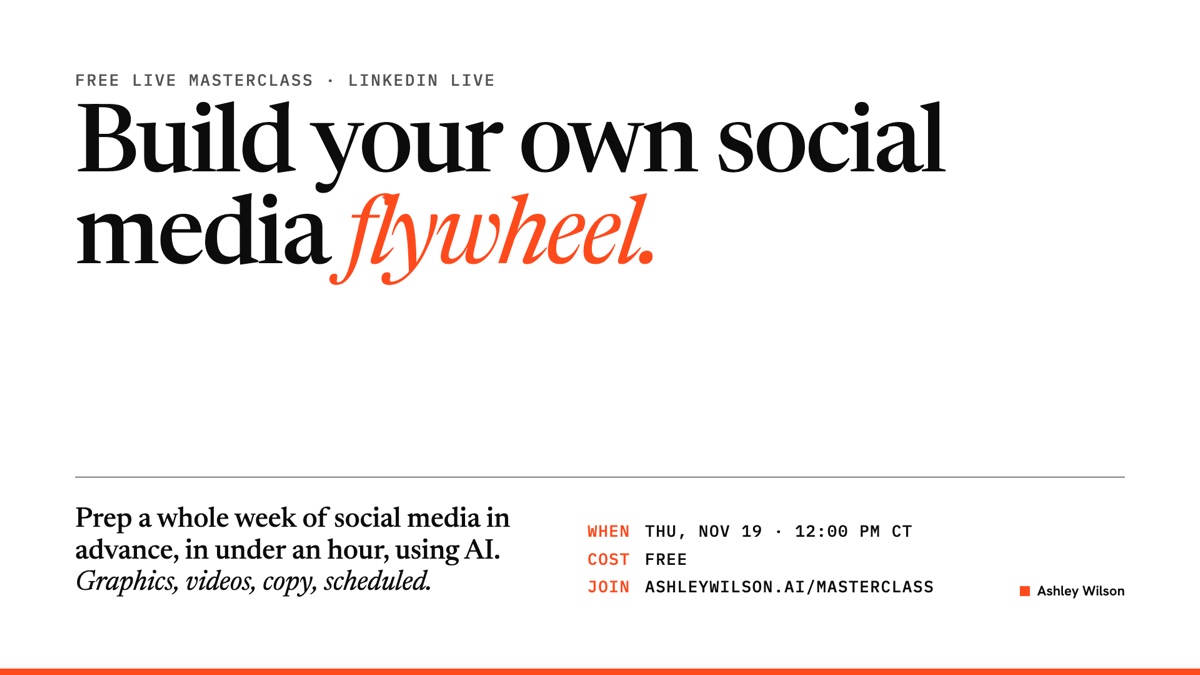
On Thursday, November 19 at noon, I'm teaching a free one-hour class called Build Your Own Social Media Flywheel. I'll walk through my real setup, step by step, and show you how to set up the same thing for your business.
It's live online, and you can bring a question when you sign up. I'll answer it during the class.
Sign up: ashleywilson.ai/masterclass
And if a new website is on your wish list, I'm teaching a second free class on Tuesday, December 15 at noon: Give Yourself the Gift of a New Website. You'll see how to build a real website for about $50, in minutes, not hours. And the first 5 people to sign up get their own website built live, by me, during the class, and the cost is on me. Same sign-up page.
I'd love to see some KBW faces there!
Ashley Wilson is the founder of JAW Analytics, where she builds AI tools and automation for small and mid-sized businesses. She lives in Kingwood, serves on the Deerwood Elementary PTA board and is a member of Kingwood Business Women. Find her at ashleywilson.ai.
Thank you. I read every one.
Want to talk about it in public?
Join the conversation on LinkedIn ↗